
How to Save and Organize Results
Naming Toolbox is not only designed to generate name suggestions. It also helps you collect, organize, and develop your results over time. This happens in the Project area, which acts as the central place for storing words, managing ideas, and keeping your naming process structured.
As you work with different tools, you can save promising results directly to your project. This makes it easier to build a collection of useful words, separate early inspiration from stronger candidates, and return to your best ideas later.
The Project Area
The Project area is where your saved words and naming ideas are managed. It is available directly in the dashboard and is also shown alongside the tools while you work. This means your project is always close by when you want to add, review, or organize results.
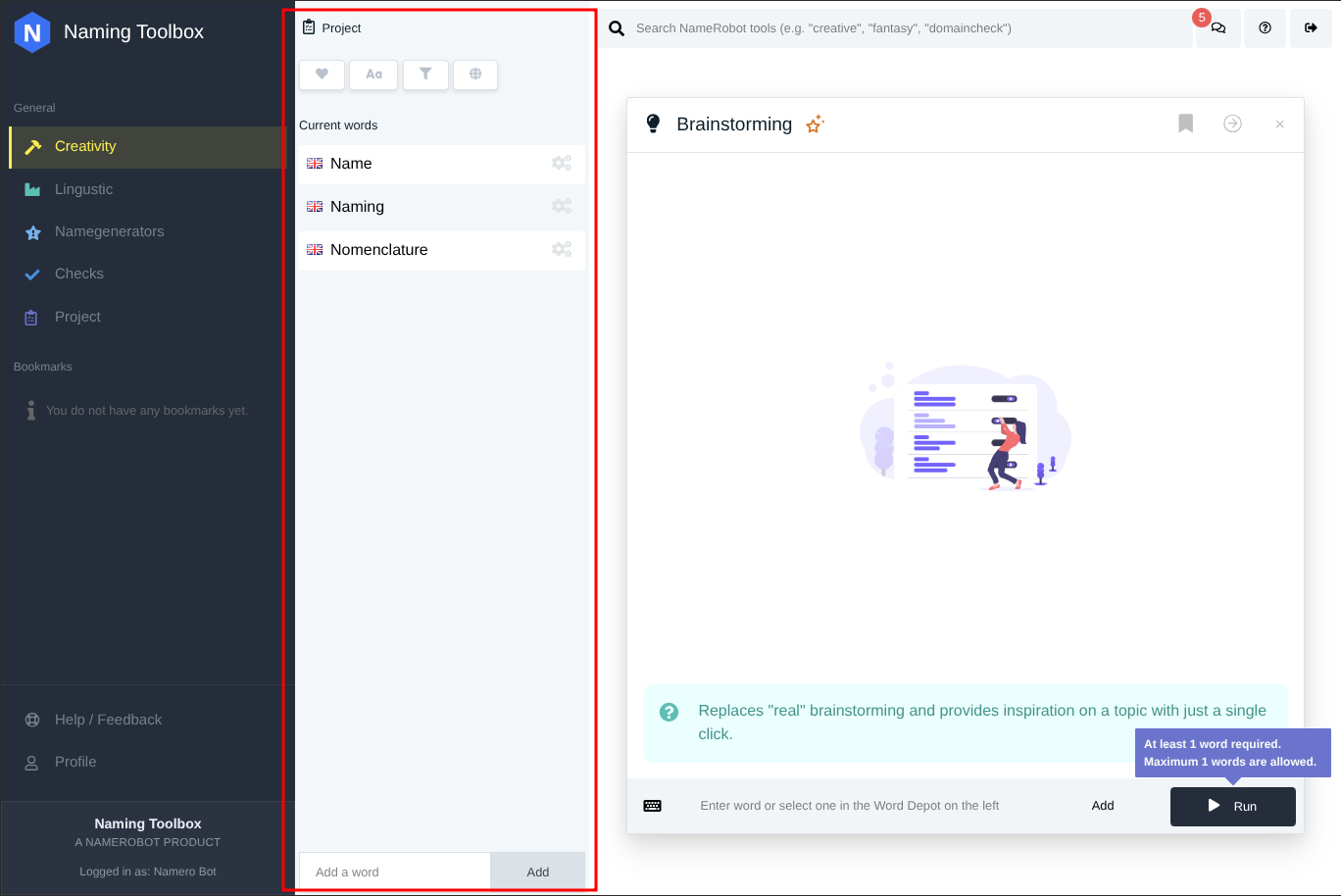
Inside the project, the Current Words list contains the words you have already saved. These can be simple working terms, inspiration words, or more advanced candidates that are already developing into possible names.
Add Words Directly to the Project
You can add words to your project manually. In the Project area, simply enter a word and add it to the Current Words list. This is useful when you already have your own ideas, keywords from a workshop, or important terms you want to explore further in the tools.
This gives you a quick way to build a starting base for your naming work before you even begin using generators or creativity tools.
Import Words into the Project
The Project area also allows you to import words. This is helpful when you want to build a larger keyword base more efficiently instead of entering every term one by one.
Depending on your workflow, imports can help you bring in project-related terms, industry language, or text-based input that can later be used across different naming tools.
Save Results from Tools
When you use a tool in Naming Toolbox, the generated words and suggestions can be added directly to your project. Each result includes actions that let you save the word instead of losing it after you move on to another tool.
This is one of the most important parts of the workflow. You do not have to remember every useful result manually. Instead, you can collect strong terms while you work and build your project continuously.
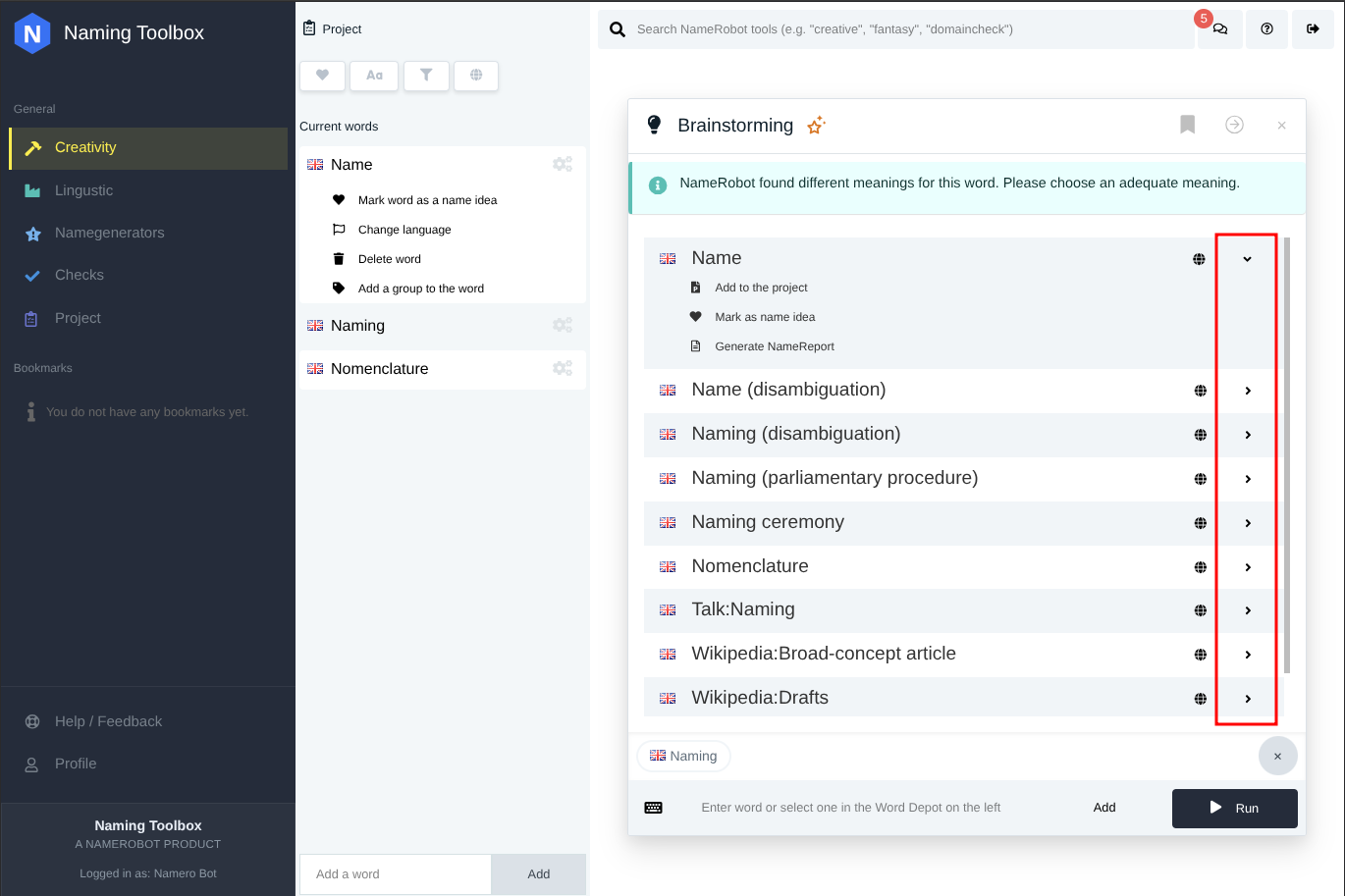
Add a Word as a Project Word or as a Name Idea
When saving a result from a tool, you can decide how it should be stored. A word can be added as a general project word, or it can already be marked as a name idea.
This distinction is useful because not every saved word has the same role. Some words are simply helpful input for later exploration, while others already look strong enough to be treated as serious naming candidates.
Organize Words Inside the Current Words List
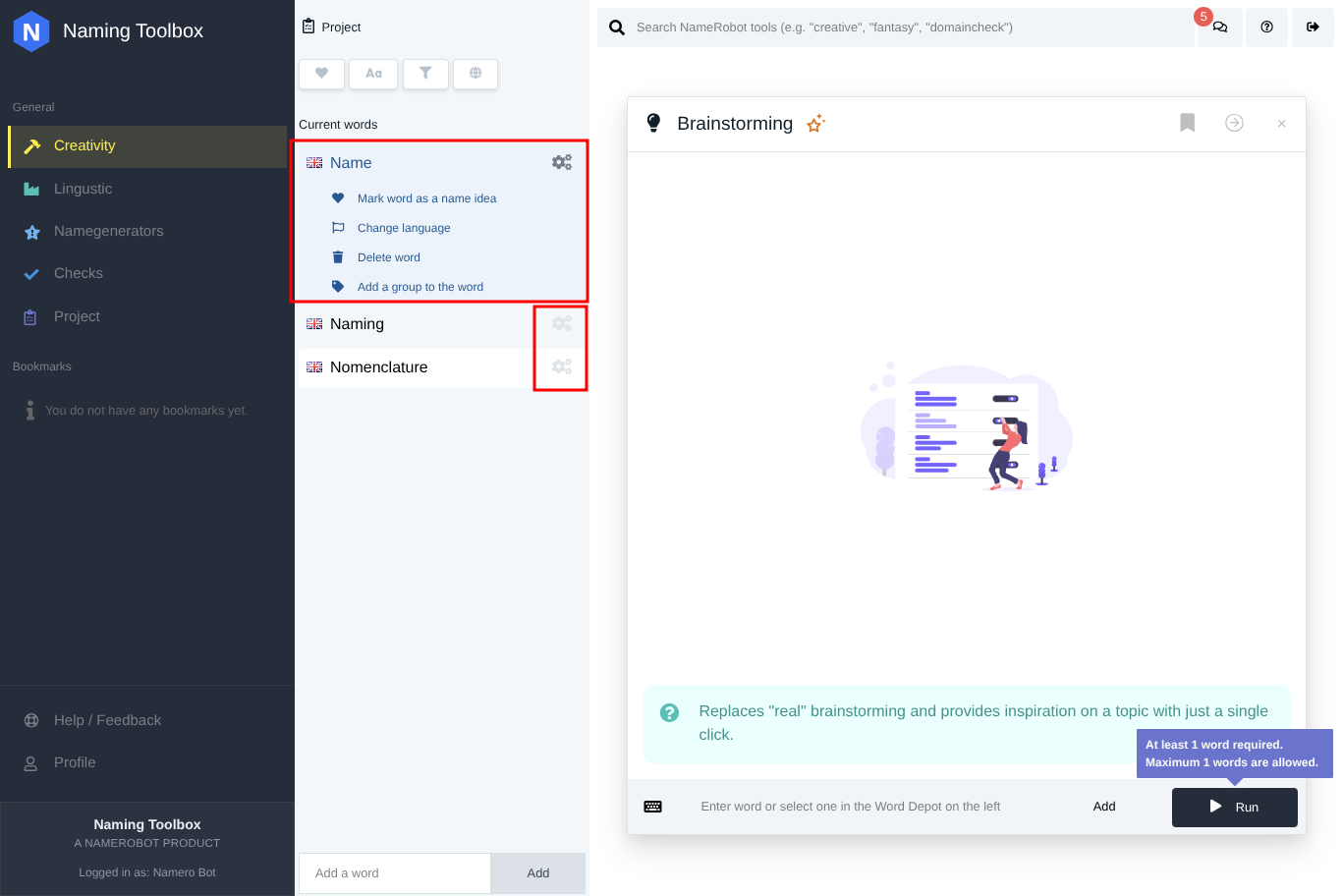
The Current Words list inside the Project area contains all saved words. From there, you can continue organizing your material. A saved word can remain a normal project word, or it can be marked as a name idea by using the heart option.
This helps you separate general inspiration from more promising naming candidates and creates a clearer structure as your project grows.
Edit Individual Words
Each saved word includes a settings button that opens an edit area for that specific entry. From there, you can manage the selected word in more detail.
Depending on your needs, you can mark the word as a name idea, change its language, delete it, or assign it to a group. This makes the Project area more than a simple list. It becomes a practical workspace for refining and organizing naming material.
Build a Structured Naming Workflow
A strong naming process usually involves more than generating a large number of suggestions. It also requires selection, organization, and comparison. By saving words to your project, marking promising ideas, and managing entries over time, Naming Toolbox helps you move from scattered inspiration to a more structured shortlist.
This makes it easier to continue your work across multiple sessions and to keep track of which terms are only references, which are useful building blocks, and which are already real naming options.